What Is Device42?
Device42 (also referred to as D42) is an IT asset discovery and CMDB platform that automatically finds, maps, and documents every device, application, and dependency across your IT environment, from legacy mainframes to virtual machines, containers, and public cloud resources. Freshworks acquired Device42 in 2024 to strengthen Freshservice's IT service management (ITSM) capabilities, and it's now sold under the name Device42.
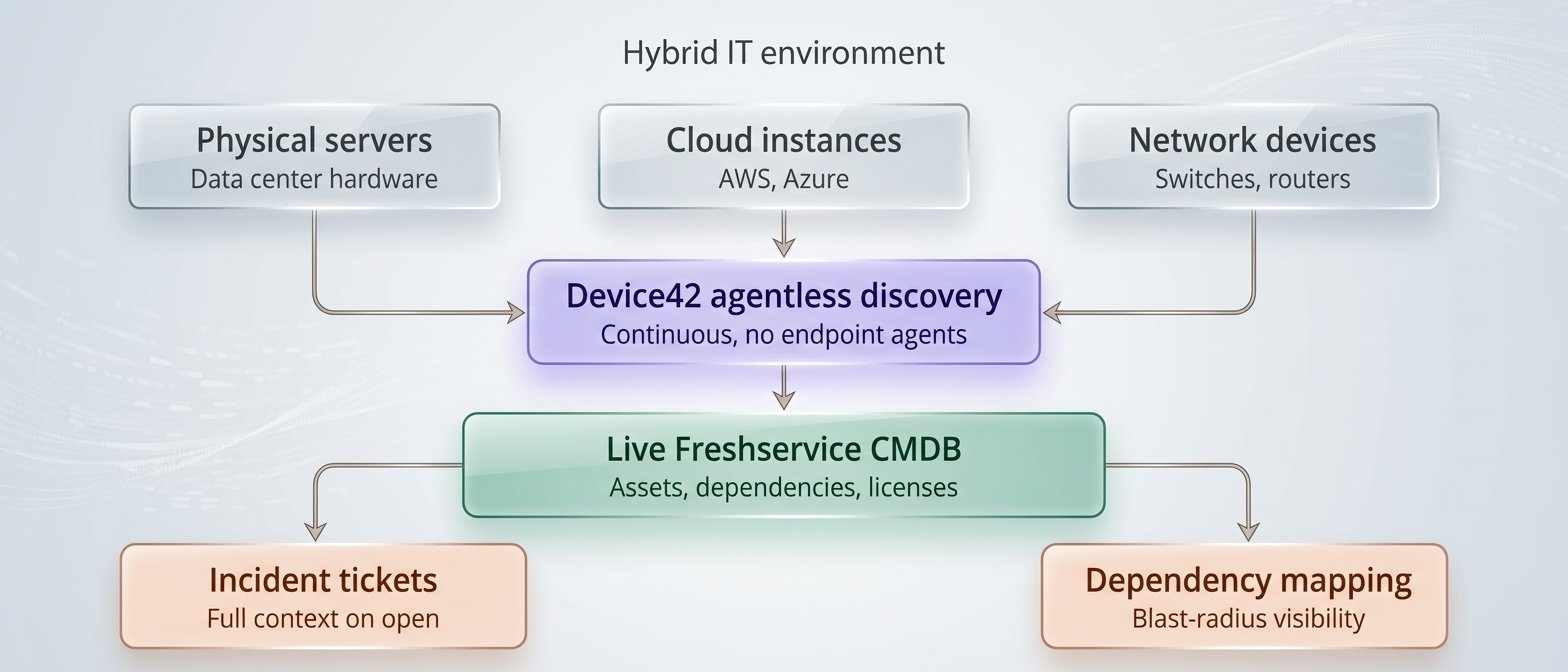
Instead of IT teams manually updating asset records, a process that's slow, error-prone, and almost always incomplete, Device42 uses agentless discovery to scan infrastructure and keep the CMDB current in near real time. There's no need to install and maintain agents on every endpoint, which significantly lowers the operational overhead of keeping asset data accurate.
What Does Device42 Actually Do?
When integrated with Freshservice, Device42 delivers four core capabilities that IT teams rely on daily.
1. Complete IT Infrastructure Discovery
Device42 discovers physical servers, virtual machines, cloud instances (AWS, Azure), network devices, storage systems, and business applications, then maps how they relate to one another. This gives IT teams a single, accurate view of their entire hybrid IT estate instead of fragmented records scattered across spreadsheets, wikis, and disconnected tools.
2. A Living Configuration Management Database (CMDB)
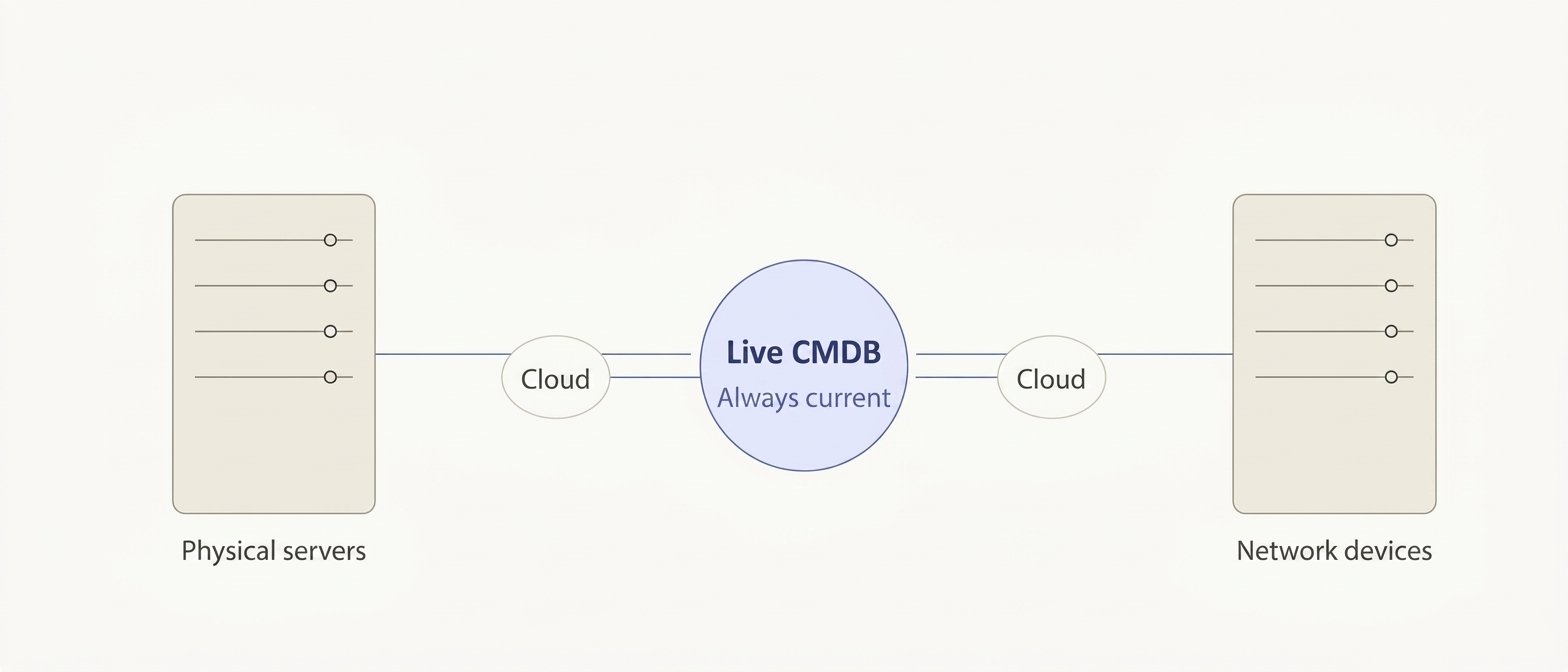
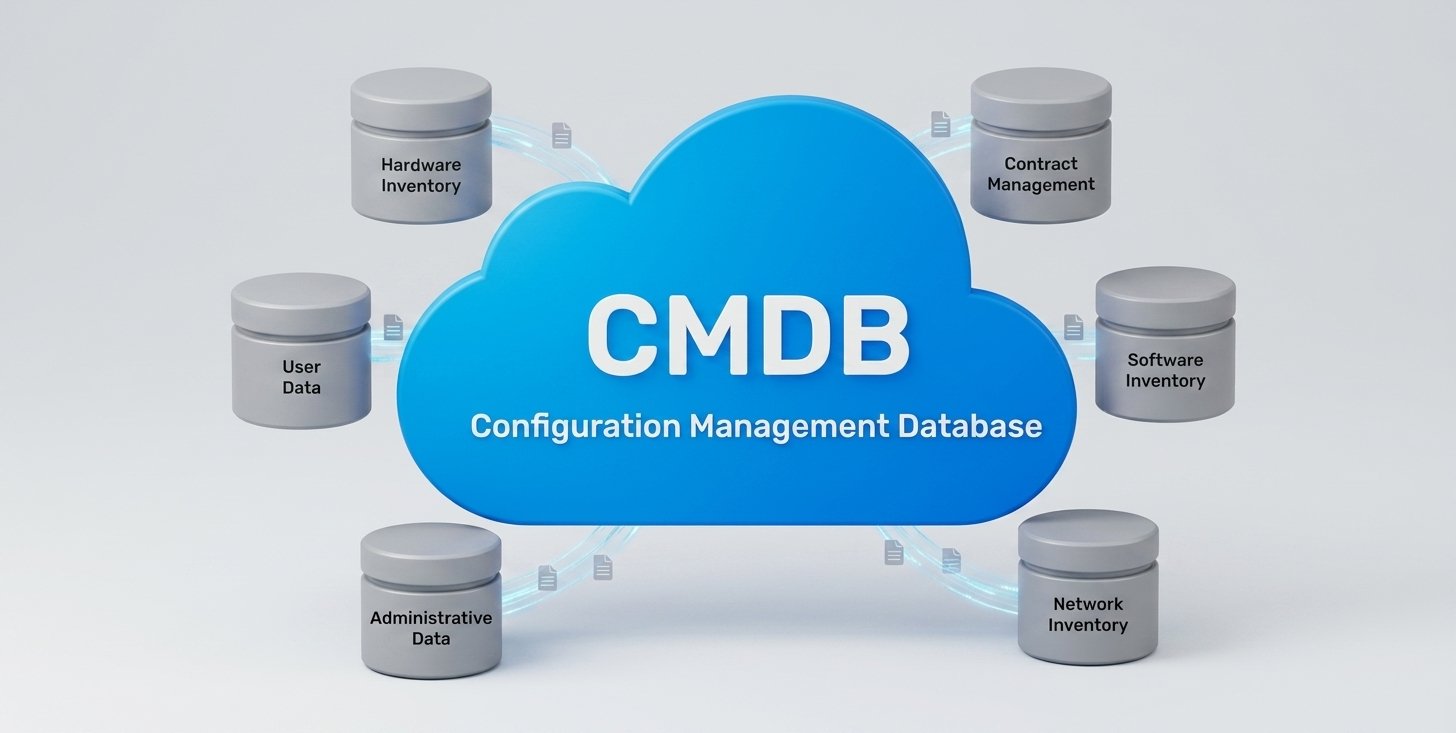
Rather than a static asset list that goes stale within weeks, Device42 continuously refreshes the Freshservice CMDB. Every ticket, incident, or change request pulls from data that's actually current, not a snapshot from last quarter's manual audit. This is the difference between a CMDB that's a checkbox exercise and one that's genuinely useful to the people running IT operations day to day.
3. Application Dependency Mapping
Before making a change to a server or retiring an application, IT teams need to know what else depends on it. Device42's application dependency mapping visualizes these relationships across your environment, which significantly reduces the risk of unplanned outages during changes, migrations, or decommissioning projects.
4. IT Asset Management (ITAM) and Software License Tracking
Device42 automatically inventories hardware and software assets and tracks them through their full lifecycle. It also compares discovered software installations against purchased license counts, helping organizations avoid both compliance exposure and licensing overspend, a capability that falls squarely under IT asset management (ITAM).
Why Device42 Matters for IT Teams
The practical benefits show up in day-to-day operations, not just in a slide deck:
- Faster incident resolution: Support agents see accurate, up-to-date asset and dependency data directly inside every Freshservice ticket, so troubleshooting starts with facts instead of guesswork.
- Lower change management risk: Dependency visualizations let teams assess the blast radius of a change before they make it, rather than finding out the hard way.
- Stronger compliance posture: Automated IT asset discovery makes audit prep and standards compliance (such as ISO 27001) far less manual and far less stressful.
- Better cost control: Accurate software license data from the CMDB prevents both under-licensing risk and paying for licenses nobody's using.
- A true single source of truth: Every team, from IT operations to security to procurement, works from the same current data instead of six different spreadsheets.
A Common Scenario: Why This Matters in Practice
Picture a typical mid-sized enterprise IT team in the region. A payment processing application goes down at 2 a.m. The on-call engineer opens a Freshservice ticket, but the CMDB hasn't been updated since the last manual audit six months ago. Nobody's entirely sure which servers the application depends on, whether it shares infrastructure with another business-critical system, or what changed recently that might have triggered the outage.
With Device42 in place, that same ticket opens with the application's full dependency chain already mapped, which servers, which databases, which network segments, and what changed in the last 24 hours. The engineer isn't starting from zero; they're starting from a documented, current picture of the environment. That's the practical gap between a CMDB that exists on paper and one that's actually operational.
This is the pattern across most GCC enterprises: the tooling for IT asset discovery and incident management already exists, but the underlying data hasn't kept pace with how fast hybrid environments actually change. Device42 closes that gap by making discovery continuous instead of periodic.
Device42 vs. Manual CMDB Maintenance
It's worth being direct about the alternative most organizations are comparing this against, and it's not a competing product, but the status quo of manually maintained spreadsheets or a CMDB populated once during an initial ITSM rollout and rarely touched again.
With a manual or static CMDB, data freshness depends on periodic audits that often happen quarterly at best, dependency visibility relies on tribal knowledge or outdated diagrams, and every update requires manual entry that's prone to drift the moment someone forgets to log a change. Engineers responding to incidents have to piece together context themselves, and license compliance issues tend to surface reactively, usually during an audit, when it's too late to plan around them.
Device42 flips each of these:
| Area | Manual / Static CMDB | Device42 |
|---|---|---|
| Data freshness | Depends on periodic audits, often quarterly at best | Stays current through continuous agentless discovery |
| Dependency visibility | Relies on tribal knowledge or outdated diagrams | Application dependency mapping happens automatically |
| Maintenance effort | Manual entry, prone to drift when updates are missed | Drops sharply since discovery runs on its own |
| Incident context | Engineers piece together context themselves | Tickets arrive with full asset and dependency context attached |
| License compliance | Surfaces reactively, usually during an audit | Ongoing comparison between installed and purchased licenses |
The gap isn't about whether an organization has a CMDB, most do, at least nominally. It's about whether that CMDB reflects reality on any given day.
Why GCC Enterprises Need a Local Implementation Partner
Device42 is powerful, but the value it delivers depends heavily on how discovery and CMDB structure are configured for your specific environment, your network topology, your compliance requirements, and your existing ITSM workflows. A misconfigured discovery job either misses assets or floods your CMDB with noise, and both outcomes undermine the entire point of the tool.
This is where Vistar comes in. As the GCC's certified Freshworks implementation partner, Vistar has deployed Freshservice and Device42 for enterprises across the UAE, Saudi Arabia, Qatar, Bahrain, Kuwait, and Oman, with hands-on experience navigating regional compliance requirements, the hybrid on-prem/cloud environments common across the region, and local data residency considerations that generic global rollouts often miss.
Vistar's Device42 implementations typically include:
- Environment assessment and discovery planning tailored to your infrastructure
- Agentless discovery configuration across data center, network, and cloud assets
- CMDB structuring aligned to your ITSM and change management workflows
- Application dependency mapping for your critical business systems
- Team training so your IT staff can maintain and extend the CMDB after go-live
What a Typical Implementation Looks Like
Organizations evaluating Device42 often ask what the rollout actually involves. While every environment is different, a Vistar-led implementation generally follows five stages:
- Discovery scoping: Mapping which environments (data center, cloud, network segments) need to be included, and what compliance or data residency constraints apply.
- Agentless discovery deployment: Configuring Device42 to scan and inventory infrastructure without installing agents on every endpoint, minimizing disruption to production systems.
- CMDB structuring: Organizing discovered data into a CMDB schema that actually matches how your ITSM and change management processes work, rather than a generic default structure.
- Dependency mapping validation: Reviewing and confirming application dependency maps against what your teams already know, to catch discovery gaps early.
- Handover and training: Equipping your internal IT staff to maintain, extend, and query the CMDB independently after go-live, rather than remaining dependent on the implementation partner indefinitely.
This structured approach is why organizations that attempt a Device42 rollout without implementation support often end up with a CMDB that's technically populated but practically unreliable, either too noisy to trust or missing the dependencies that matter most during an actual incident.
What to Evaluate Before You Start
Before kicking off a Device42 deployment, it's worth getting clear answers on a few things internally: which environments actually need to be in scope for the first phase, whether any data residency or regulatory requirements apply to how discovery data is stored and accessed, and who on your team will own the CMDB once the implementation partner steps back.
Organizations that skip this groundwork tend to end up with a CMDB that's technically live but nobody's actively maintaining, which quietly reintroduces the same data-staleness problem the project was meant to solve. A short planning conversation upfront, even before scoping discovery jobs, tends to save weeks of rework later.
Frequently Asked Questions
Get Device42 Running the Right Way, the First Time
A CMDB is only as valuable as the data behind it. If you're evaluating Device42 or already have Freshservice deployed and want to add reliable, automated IT asset discovery, Vistar can assess your environment and scope an implementation built for how your organization actually runs.